Record activity.
Keep it local.
Turn a mounted iPhone into a local event recorder. Choose what triggers a clip, frame the area, and review the details later.
Planned launch: US $19.99 once. No SceneLatch subscription. Not yet available on the App Store; final camera accuracy and endurance checks are ongoing. Regional prices will vary.
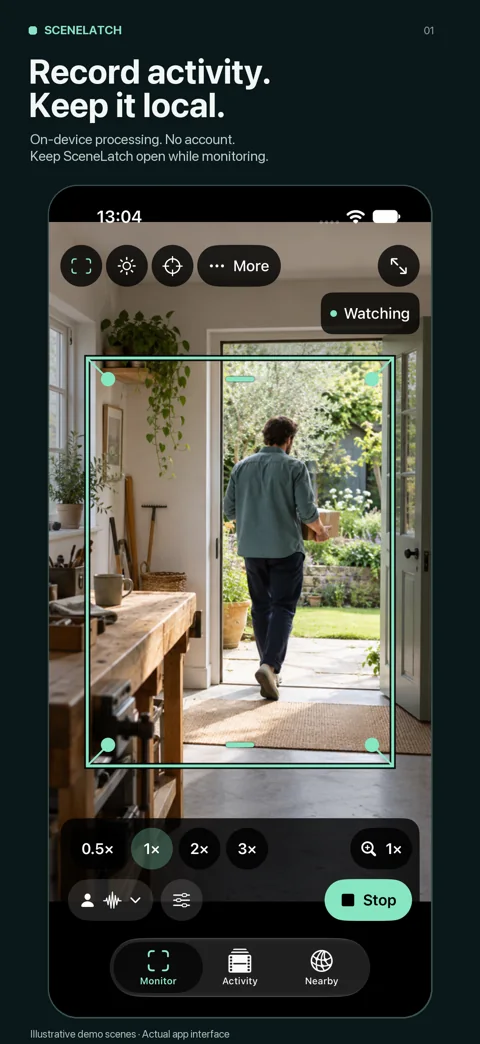
Select what starts a clip and keep monitoring on screen.
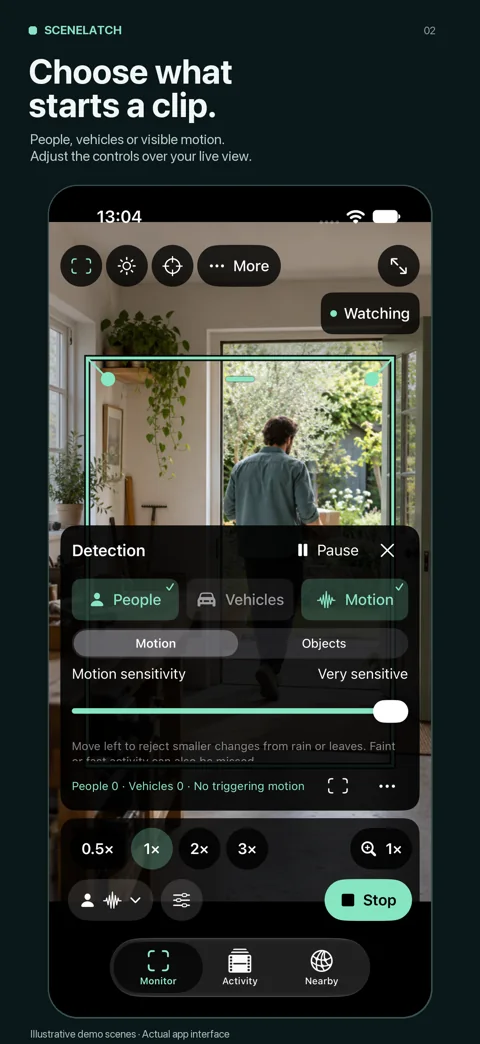
Adjust people, vehicle and motion controls over the camera view.
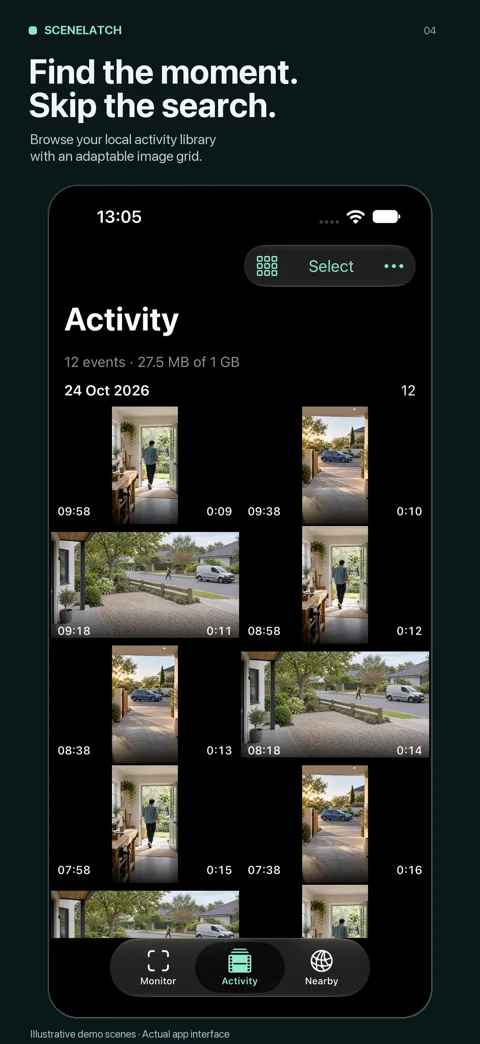
Browse saved activity with a flexible image grid.
Actual app interface with AI-generated fictional scenes and staged gallery entries. These images demonstrate controls, not measured camera performance.
Choose what counts as activity
Enable people, vehicles or visible motion. Adjust sensitivity and recognition confidence while viewing the scene. Draw a watch area and mark areas to ignore for motion detection. Repetitive-motion filtering can help with unwanted changes, but moving leaves, shadows and rain can still cause clips. Test the settings where you will use the phone.
Keep the moment and its context
A short lead-in buffer preserves the start of an event. Choose the follow-up duration, including zero seconds, and keep the complete camera frame in the recording. Zero follow-up ends after the detector clears activity; minimum clip and confirmation rules still apply.
A library built for review
Choose a compact list, adjustable grid or preview with a list. Inspect highlights, swipe between clips, pinch to look closer and scrub while paused. Select by day or before a date, keep important clips and review cleanup before deleting. Export anything important: the local library is excluded from device backup.
Local processing and optional local viewing
Camera processing and recording work on the iPhone without an account or internet connection. Nearby sharing can pair another iPhone on the same local network to view the camera. There is no developer-hosted relay or internet viewing service. The separately developed Mac viewer is still under evaluation; a public download has not been announced.
Before you buy
Can I lock the phone or leave the app?
No. Keep SceneLatch open and the phone unlocked. Locking, backgrounding or a camera interruption can stop monitoring. Dimmed monitoring lowers screen brightness while remaining in the foreground.
Will it capture every person or vehicle?
No. Brief, distant, partly hidden and poorly lit activity can be missed. Unwanted changes can also trigger clips. Test the watch area, enabled sources and thresholds in your own scene. SceneLatch does not guarantee that an incident is recorded.
Does it use optical zoom or night vision?
Lens transitions, stabilization and low-light assistance depend on the phone and capture conditions. Some zoom values use digital cropping. Low-light assistance does not create infrared night vision or recover detail that the camera cannot see.
What happens when storage fills?
The current app stops monitoring at its storage or thermal limits instead of automatically deleting earlier clips. Use Activity to keep, export or delete recordings and review any cleanup before confirming it.
Read the full setup and troubleshooting guide or learn how camera data is handled.